
Dashboards that adapt to you, and share.
Choose the widgets you want, arrange and resize them to fit how you work, and share a dashboard with your team so everyone sees the same picture.
 AI Cyber Threat Intelligence and Response Platform
C.O.S.M.O triages, investigates, hunts, responds and predicts. One platform, with AI at every step and nothing leaving your network. Your analysts stay in control: C.O.S.M.O recommends, and your people decide.
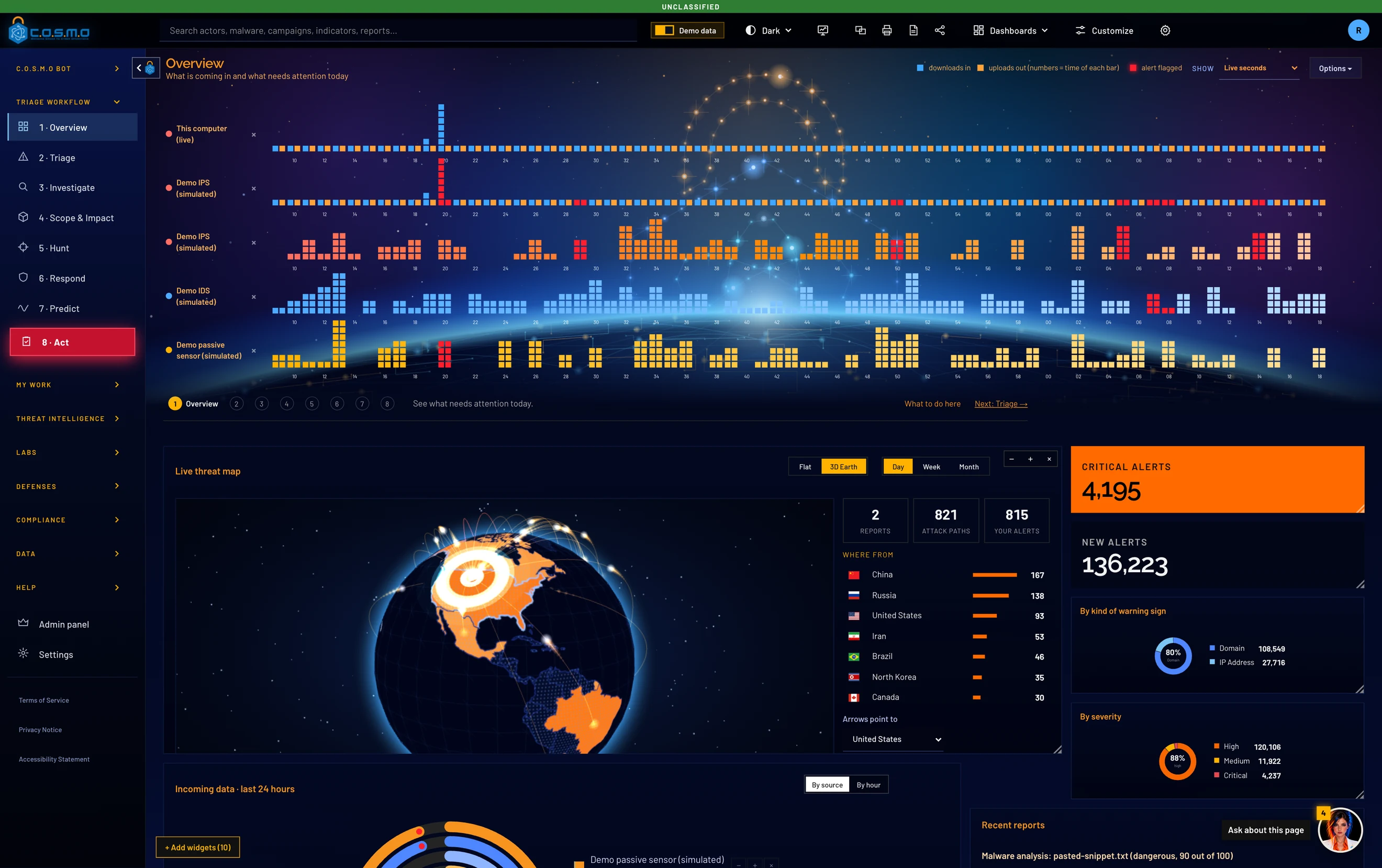

Choose the widgets you want, arrange and resize them to fit how you work, and share a dashboard with your team so everyone sees the same picture.
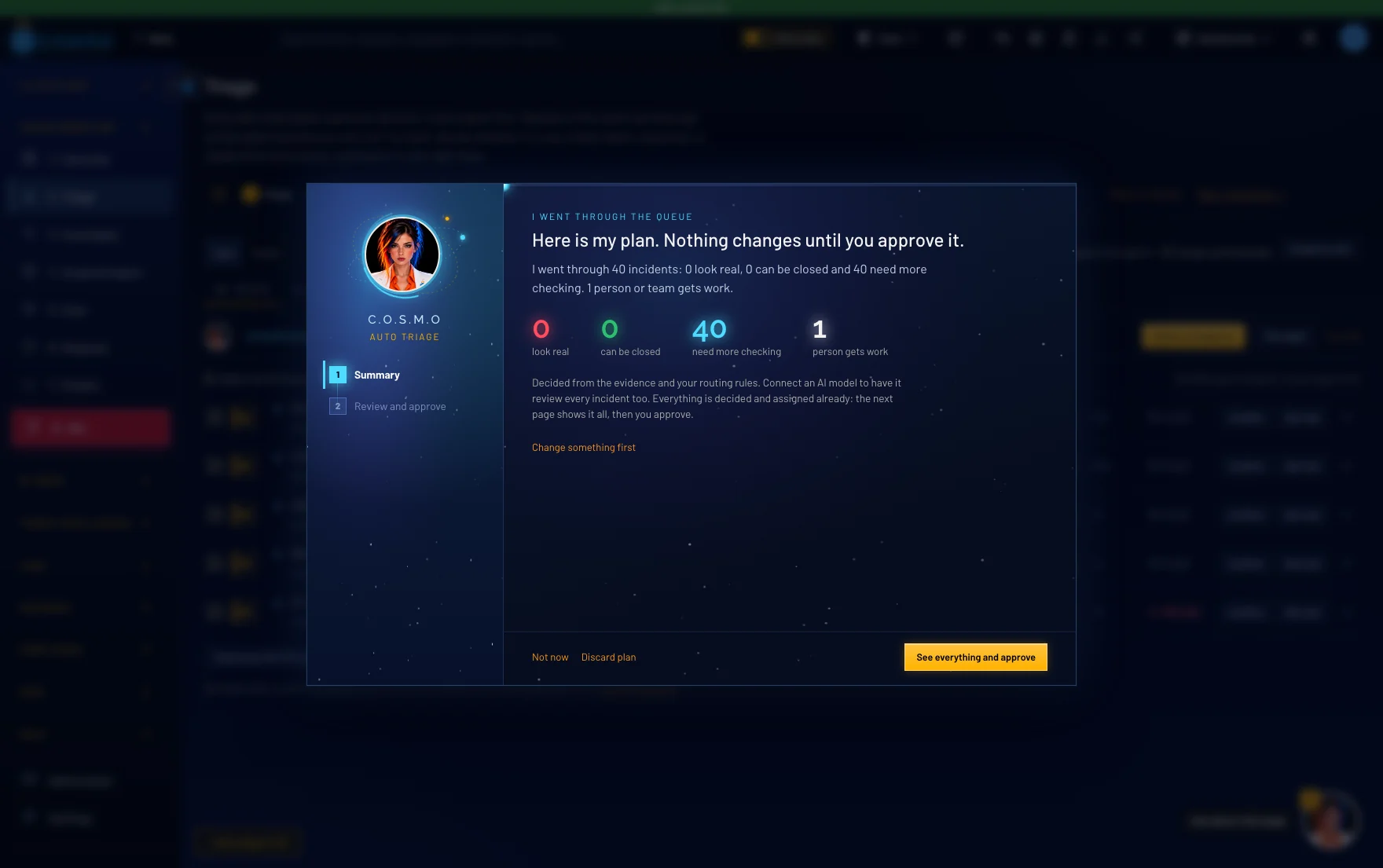
The AI decides every waiting incident and picks who gets each one. You read the whole plan in one window and approve it, and each person receives their work with a due date.
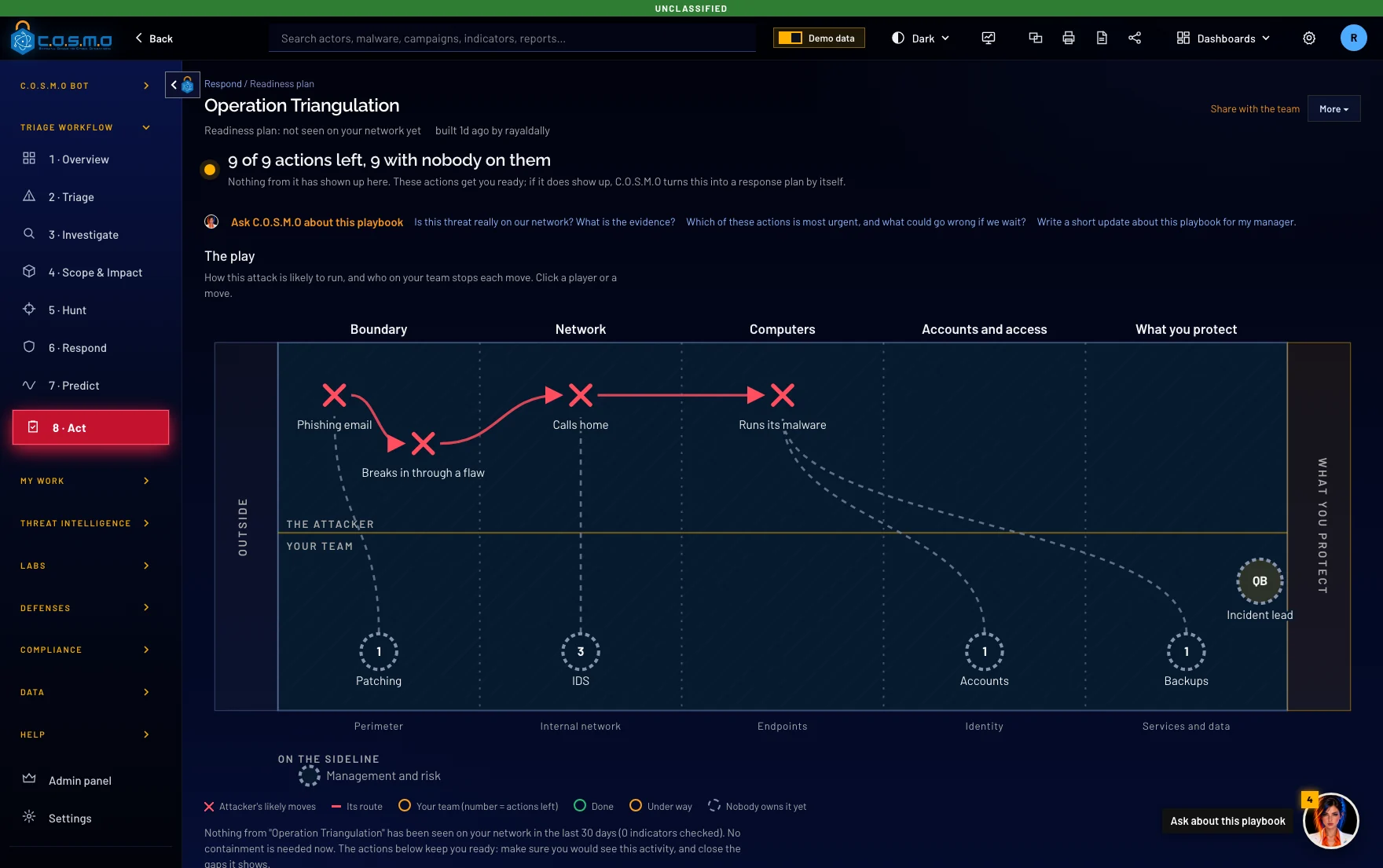
Every threat becomes a playbook with an owner and a deadline for each move. Firewall blocks, detection rules and DNS block lists cover every layer. C.O.S.M.O writes them, and your team decides what to apply.
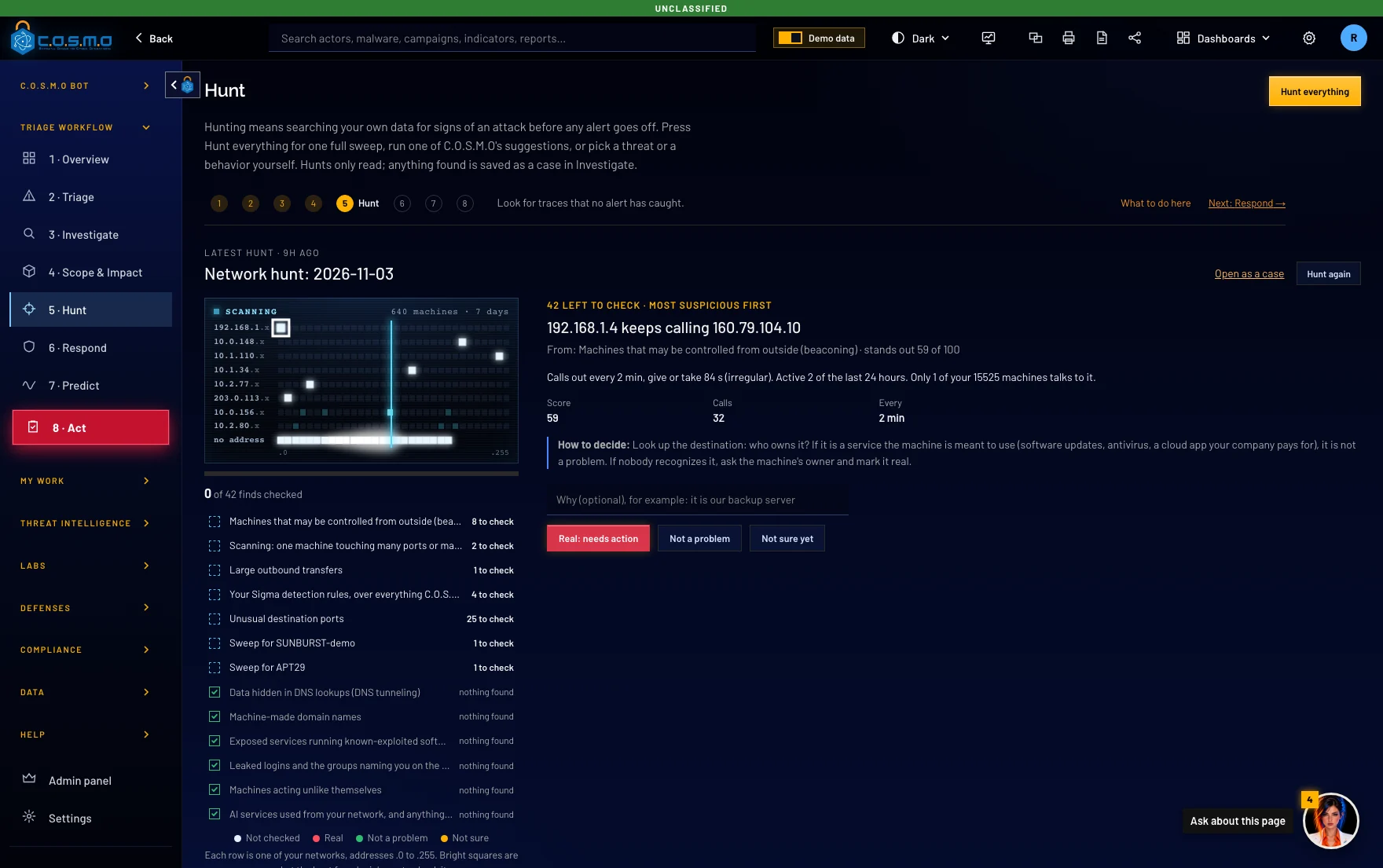
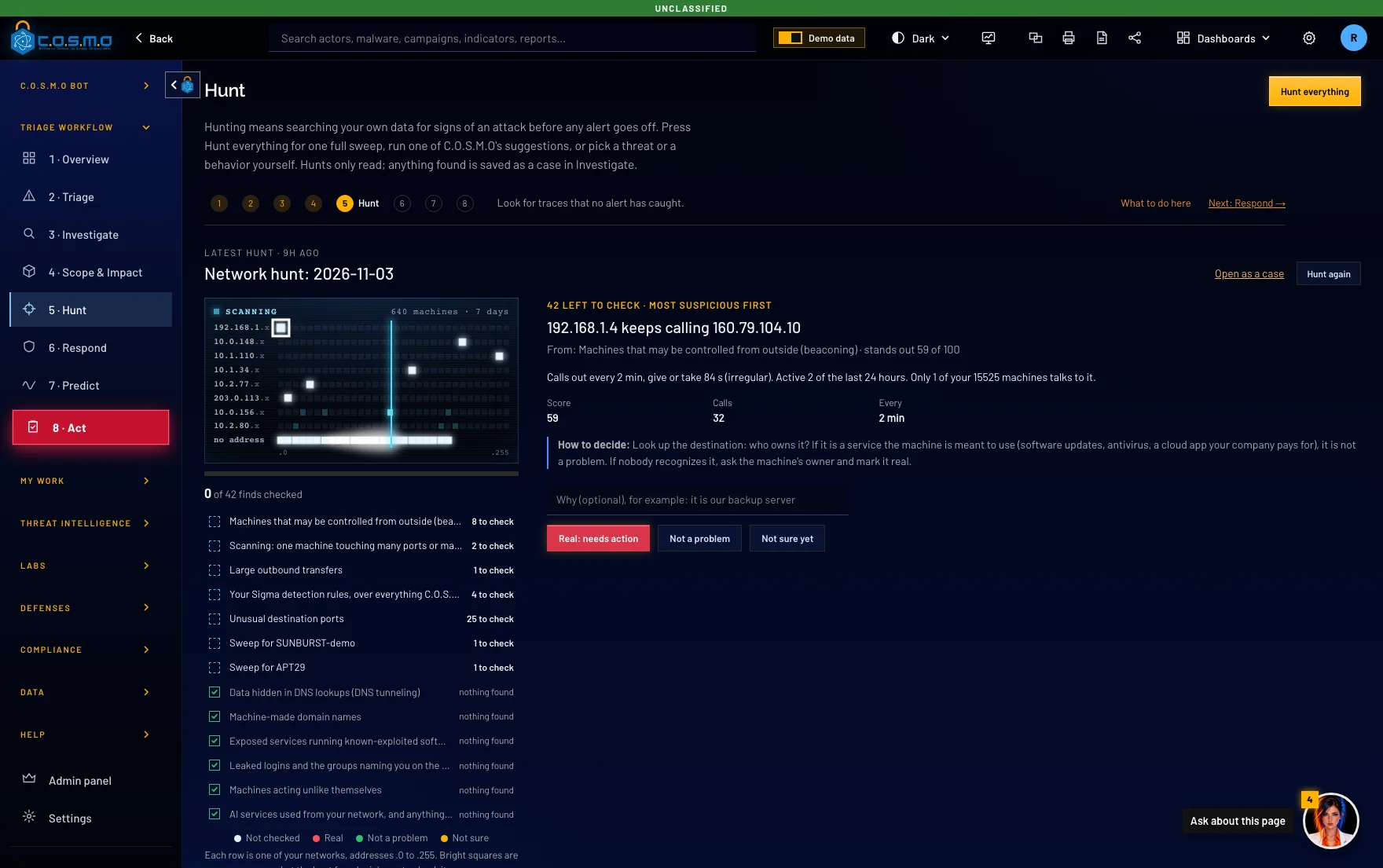
Look for what no alert caught. Sweep hundreds of machines at once for traces of an attacker, then see which ones match. Drop in a file to see what it would do without it ever being run, or a collection from a computer to get one timeline of what happened.
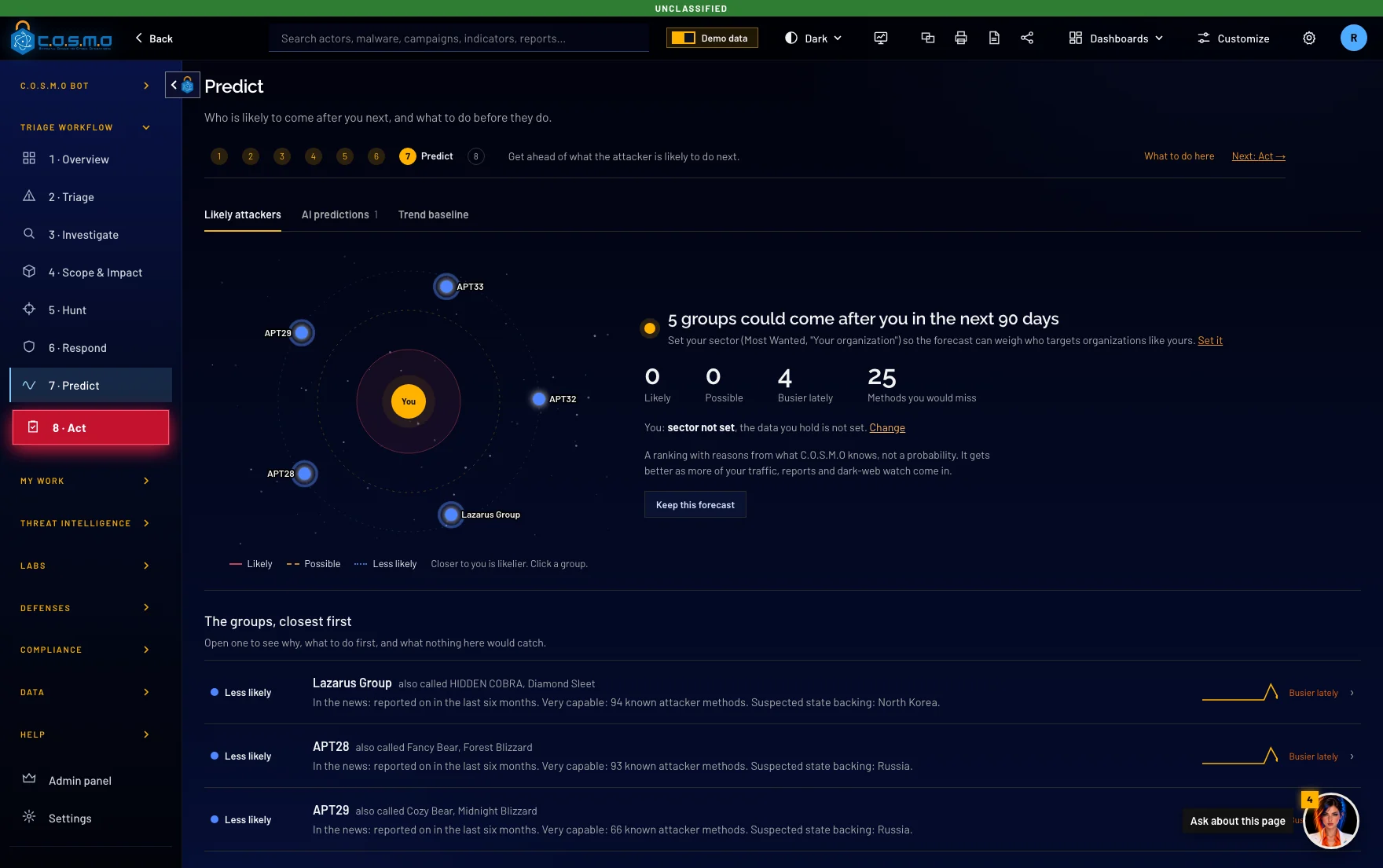
AI predictive analysis names the attacker groups most likely to come after you in the next 90 days. Purple Team testing then checks your detection rules against their methods and shows the gaps to close first.
 What C.O.S.M.O is
C.O.S.M.O takes in your alerts, logs, documents and threat intelligence, then triages, investigates, hunts, responds and predicts, with an assistant at every step. It runs entirely on hardware you control. Nothing leaves your network. C.O.S.M.O never changes your systems: it writes the recommendations and rules, and your people act on them.
Built for Security operations teams · Incident responders & threat hunters · Defense, intelligence & critical infrastructure · Teams whose data can’t go to the cloud
Too many alerts, too few analysts.
C.O.S.M.O works the whole queue. It scores every alert with its reasons and tells you what actually needs a person. The rest is grouped, explained and ready to close.
Response takes too long.
It writes the plan and a ready-to-paste work order for every team (firewall blocks, detection rules, searches), built from the evidence, for your team to review and apply.
Your data can’t leave the building.
Self-hosted and able to run fully offline. Your logs, your models, your network. C.O.S.M.O never phones home, so it fits classified and air-gapped work.
Ask about a threat, paste a report, or request a playbook. Every answer cites the data on your own server. It never changes your systems: it recommends, and a person decides.


Answers cite your data. Every reply points back to the incidents, reports and rules on your own server, so you can check the working.
Paste a report, get it read. Drop in a PDF or a bulletin and the bot pulls out the addresses, fingerprints and attacker methods.
It takes you to the work. Ask for a playbook or a hunt and it opens the right screen, or runs it for you. It reads and recommends, and a person decides what to do.
Watch the bot work


Open C.O.S.M.O and the bot is already on the page, with what needs a person today, most urgent first.
Thousands of alerts, grouped so each machine needs one decision. One click hands the queue to the bot.
The bot reads every waiting incident and says what it decided, and why, in plain English.
Every decision, every assignment and every team’s work pack, on one page, before you press Approve.
Firewall commands, detection rules, searches and a PDF work order for every team, ready to copy or download.
Real C.O.S.M.O screens with fictional demo data. Without an AI model connected the bot still decides from the evidence and your rules.
Drop a suspicious file into the Malware Lab. Five AI analysts study it together, and each one has its own job.
C.O.S.M.O explains in plain English what the file does. It then shows the code with a comment beside every important line, and it writes rules that will catch this file and its newer versions.
Polaris weighs the votes, then writes the summary and explains how to stop the next version.
Vega reads every part of the code and writes the comments.
Orion explains what the program does, step by step.
Lyra finds what the author cannot easily change, and writes detection rules from it.
Draco questions every claim that the code does not prove.
C.O.S.M.O is one server and one database that you run. Nothing has to leave your network, and in offline mode nothing does. Windows Server 2019, 2022 or 2025, Linux, macOS, or Docker and Podman on any VM or cloud. A team server people reach with only a browser.


 SuricataZeek






 MISPTAXII

 C.O.S.M.O server
Windows, Linux, macOS or Docker, with its own PostgreSQL database




 Government modeClassification markingsCAC / PIVFIPS


 llama.cpp
Turn on government mode and C.O.S.M.O adds classification banners and markings, DoD sign-in rules with smart card (CAC/PIV), and FIPS cryptography. In offline mode it opens no connection outside your network. New intelligence and updates arrive on removable media, signed by Cypher and checked before anything is installed.
C.O.S.M.O is not on the DoDIN Approved Products List. It is ready to start that process.
C.O.S.M.O suggests where to look for the groups and malware already in your queue, then sweeps your logs and computers for traces. Every hunt only reads, it never changes anything.
C.O.S.M.O lays out the steps to stop the attack and who does each one. C.O.S.M.O never blocks, isolates or cuts anything off itself. Your team does that.
Inside C.O.S.M.O
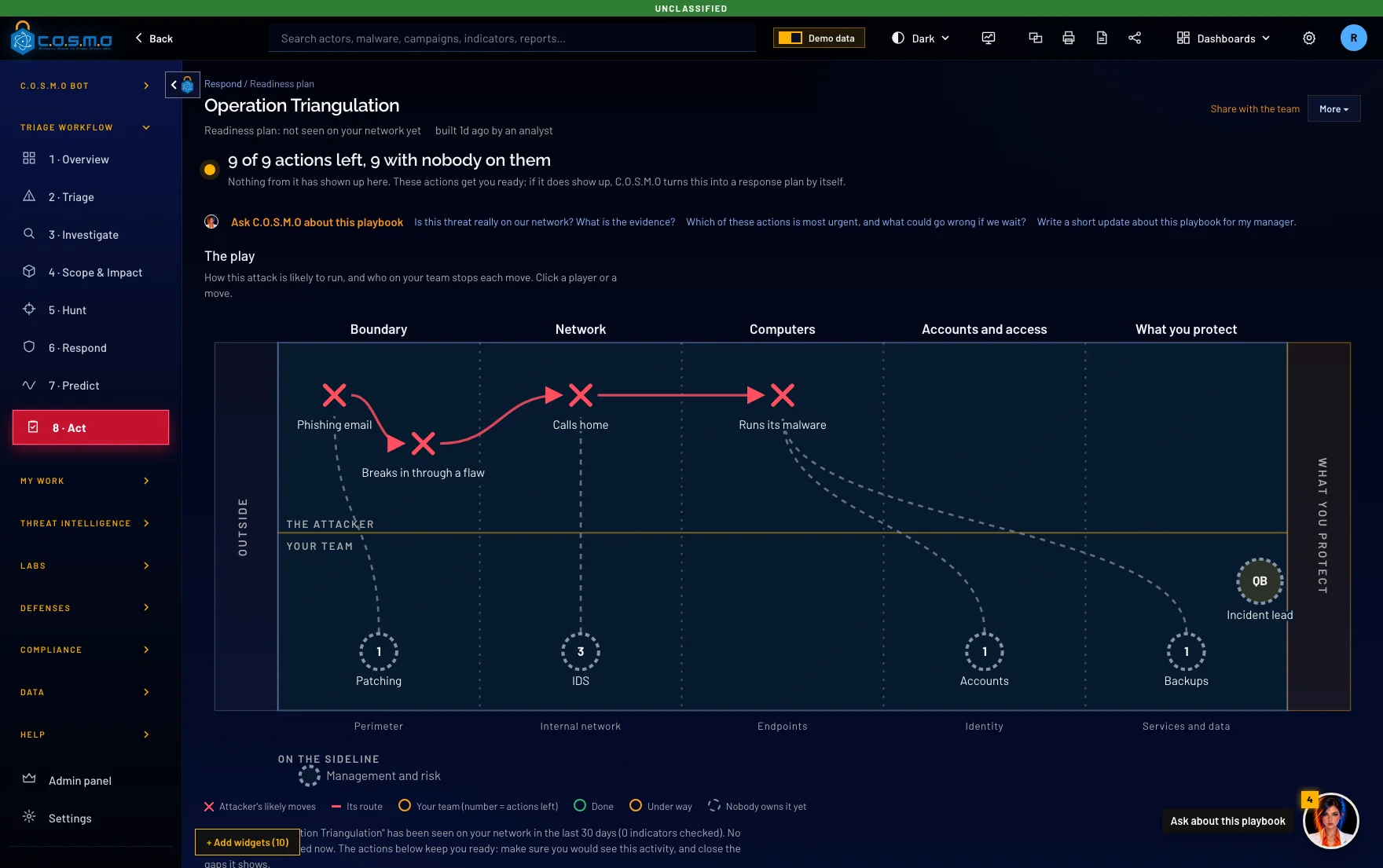
When a threat is real, C.O.S.M.O draws the attacker's likely route as plays on a board. Every move has an owner, so your team knows who does what.
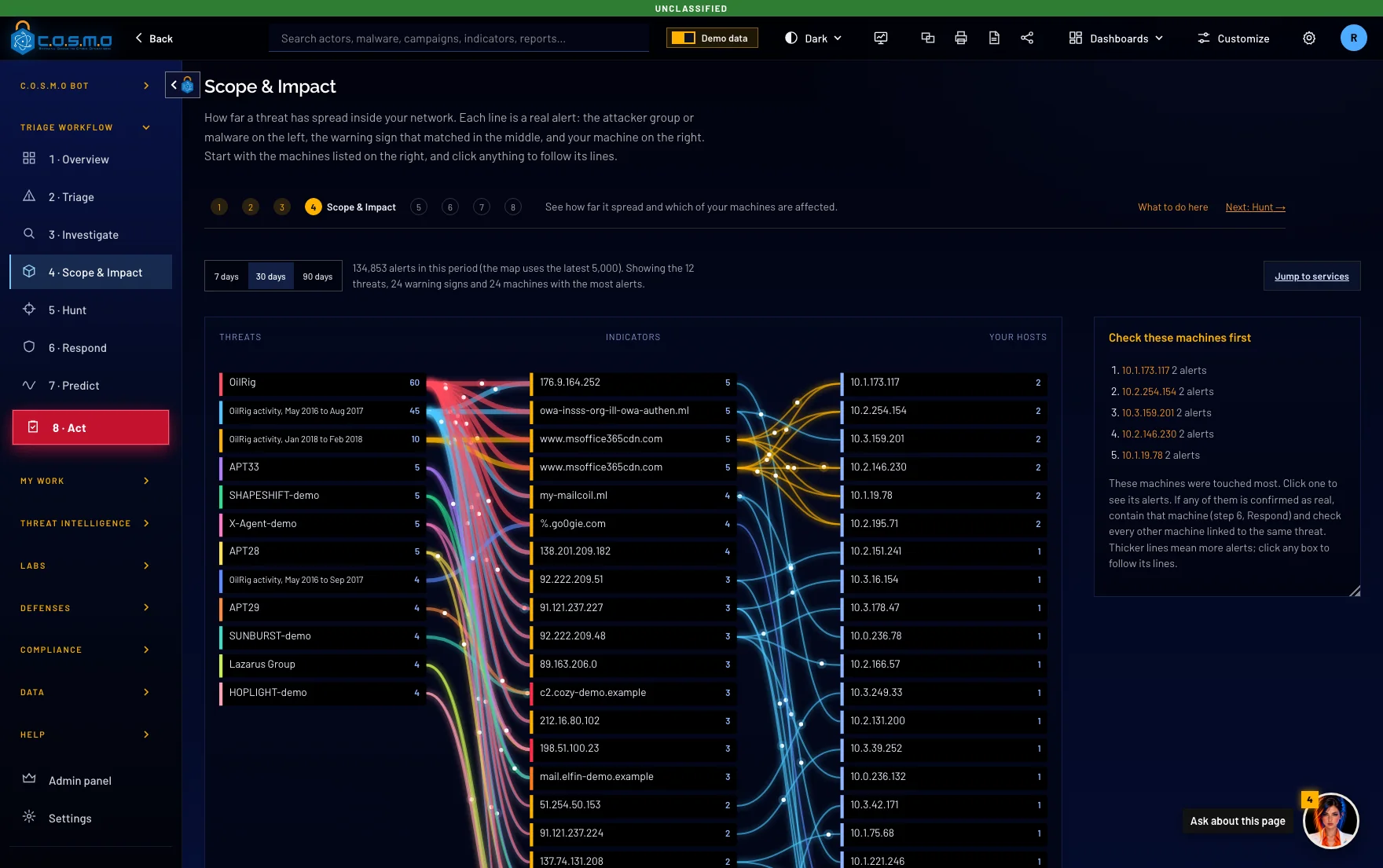
Pick any alert and see how far it went. C.O.S.M.O traces it from the first threat to every machine it touched.
Sweep hundreds of machines for traces that no alert caught.
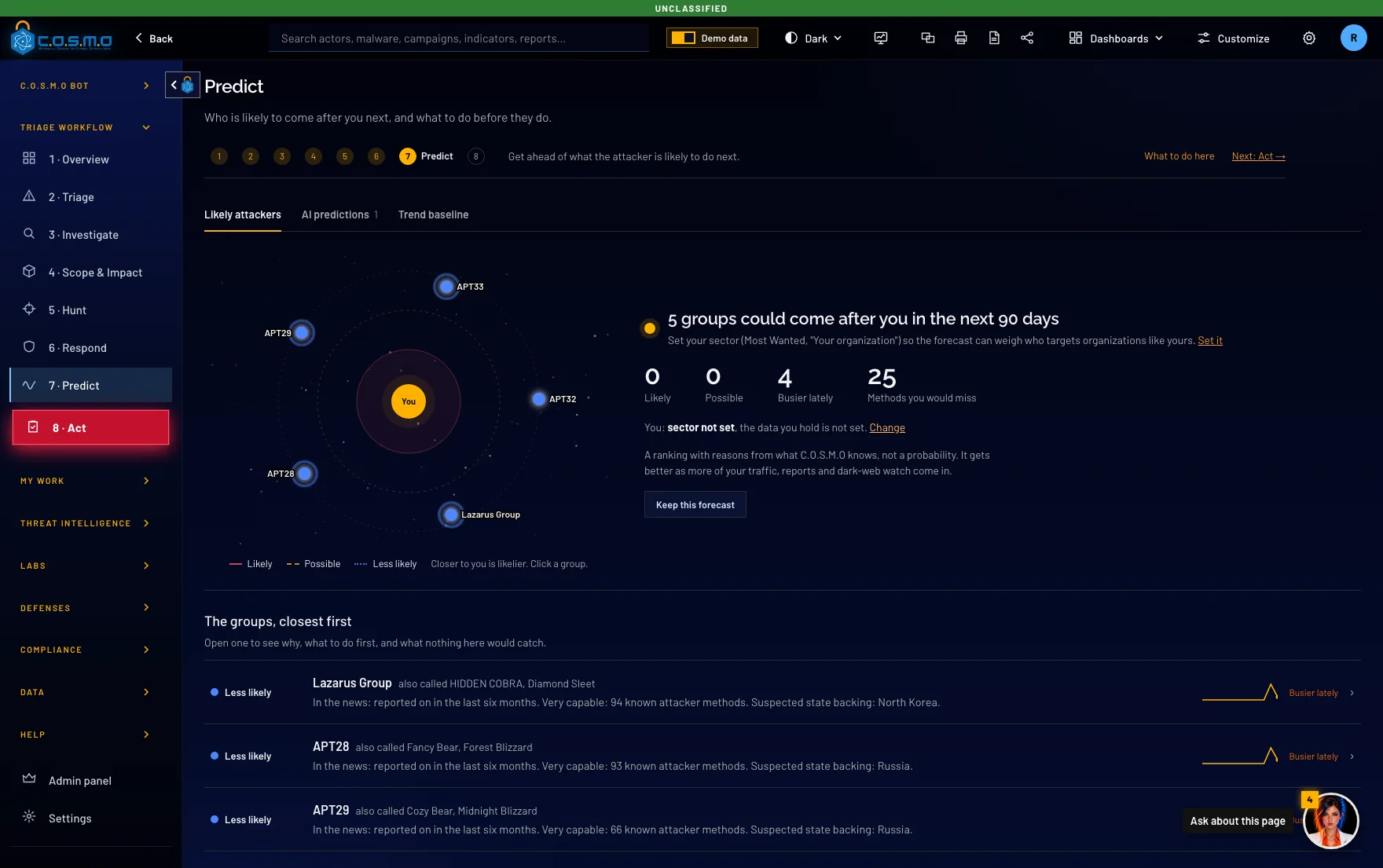
See which hacking groups are most likely to come after you next. They are ranked closest first, and each one comes with the reasons.
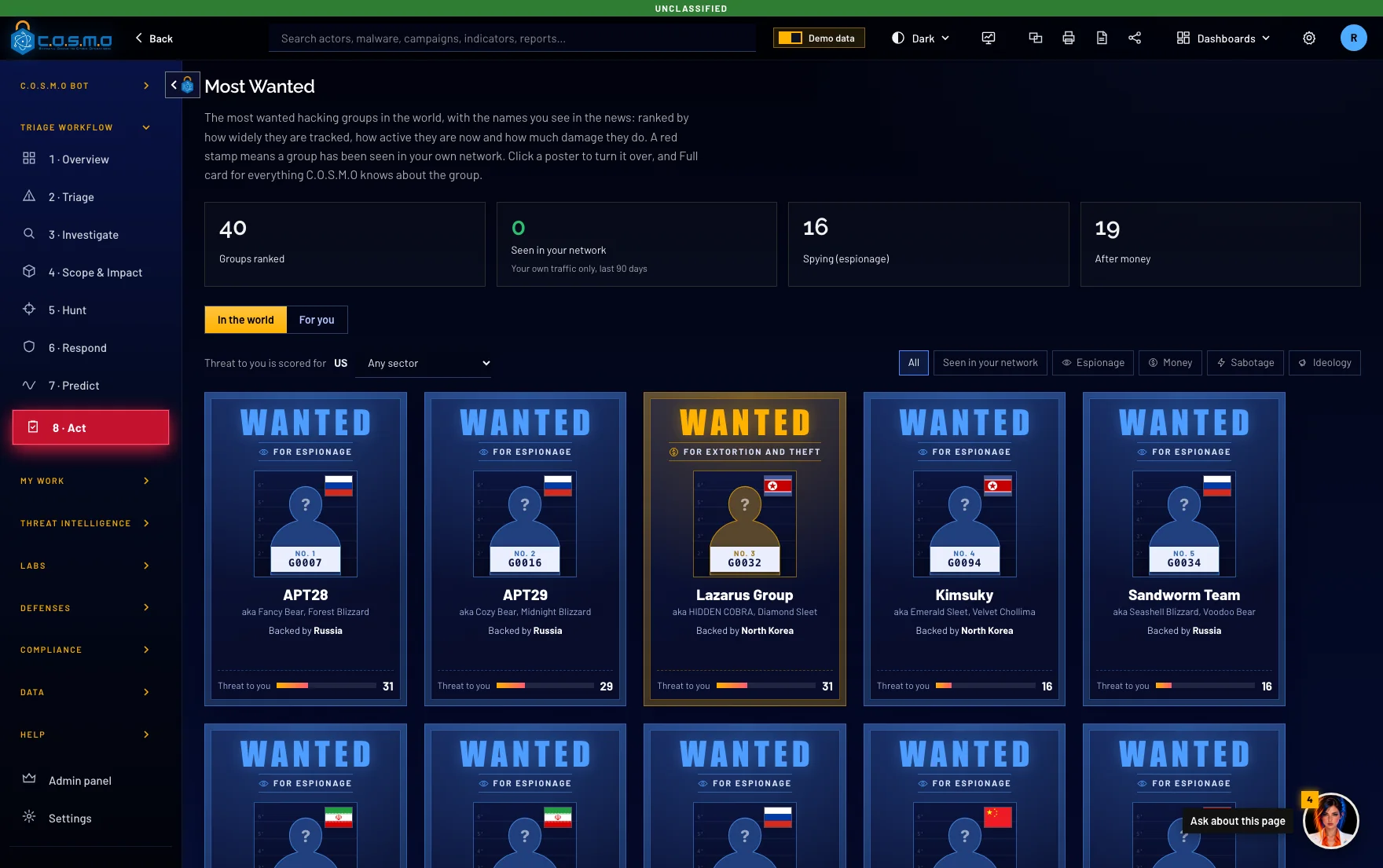
The top hacking groups, shown as wanted posters. A group is marked when it shows up on your own network.
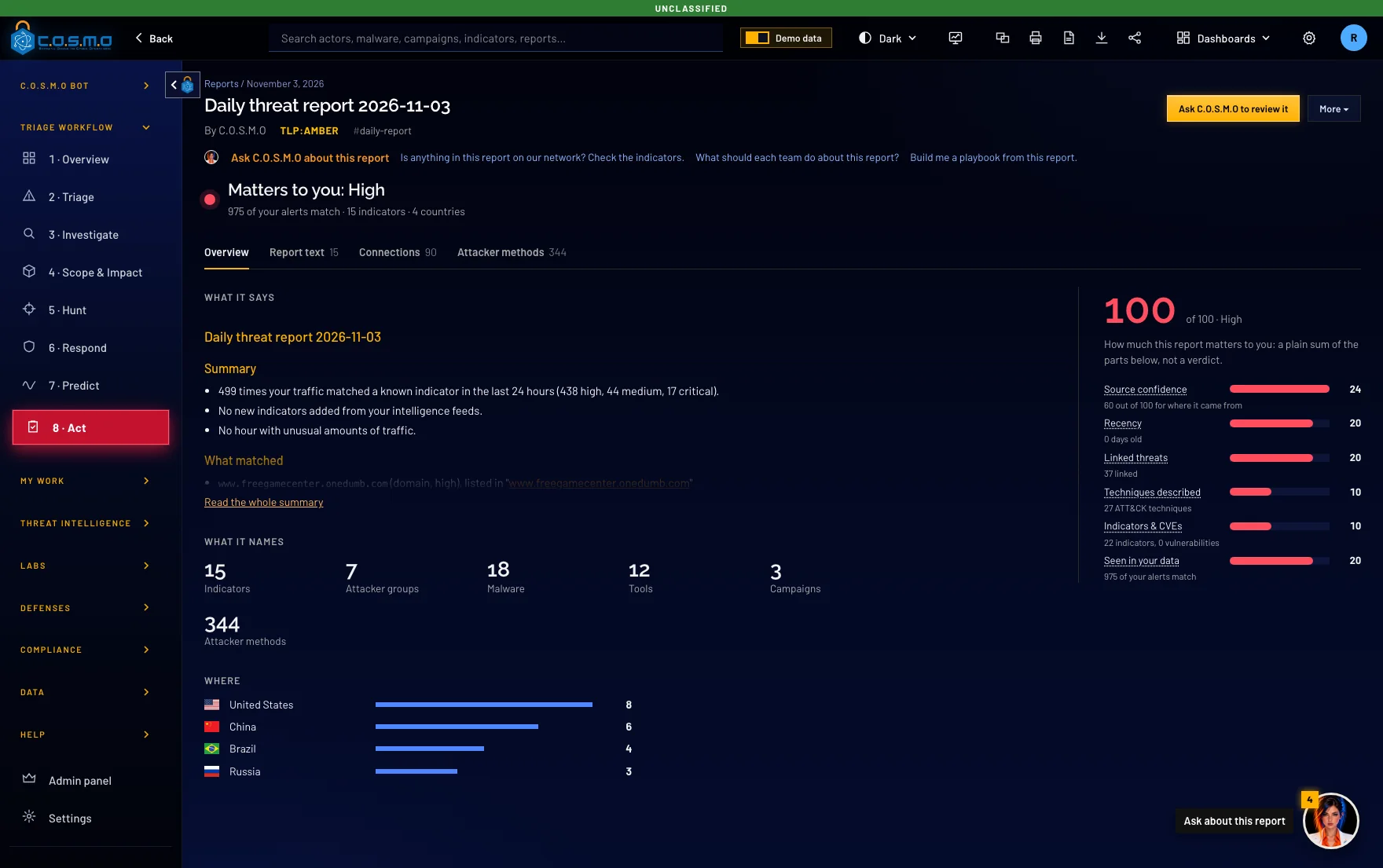
Each day, a report of what happened and how much it matters to you. It is scored, and every claim shows where it came from.
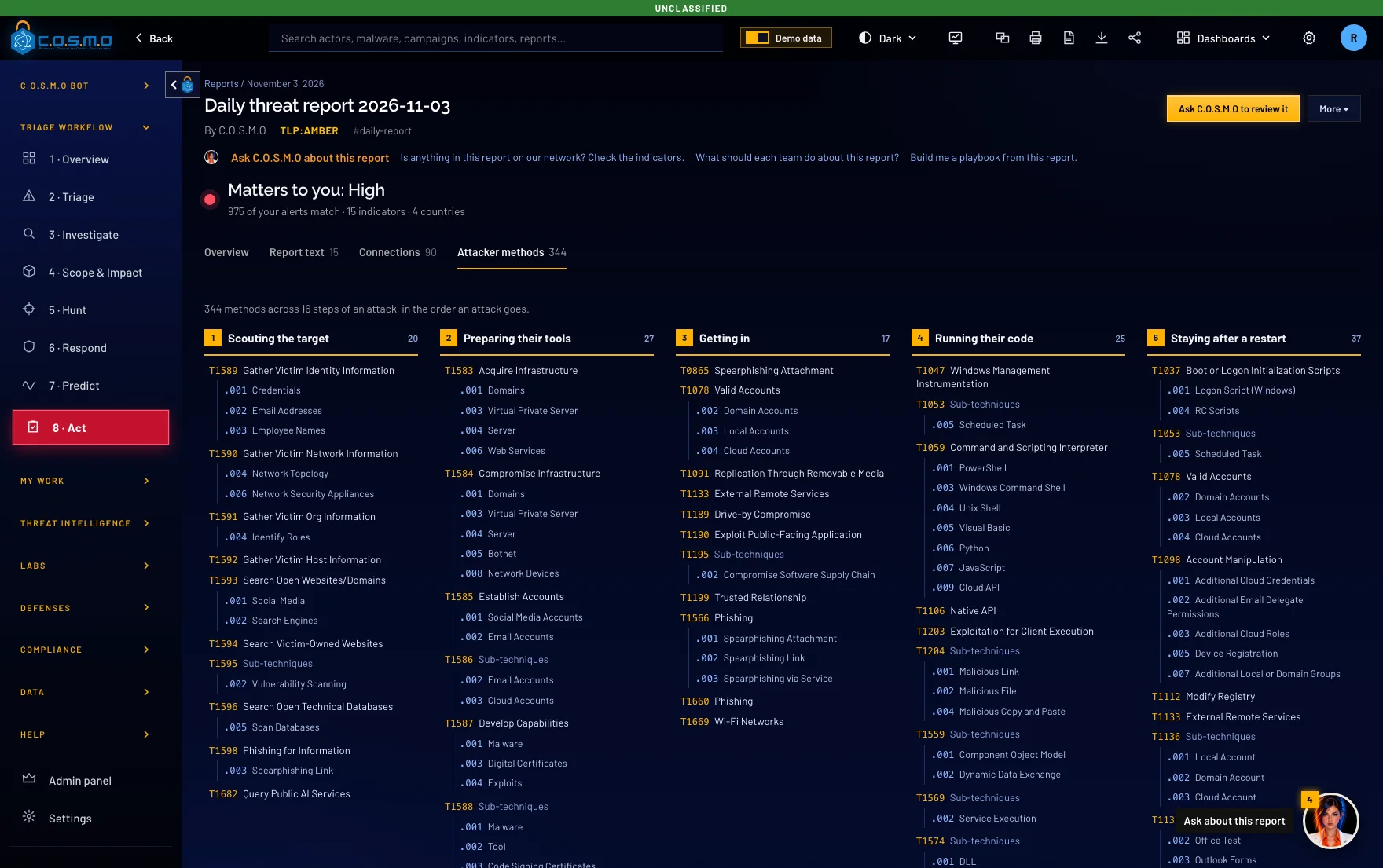
Every method an attacker used, listed in the order an attack goes, so your team can see the whole path at once.
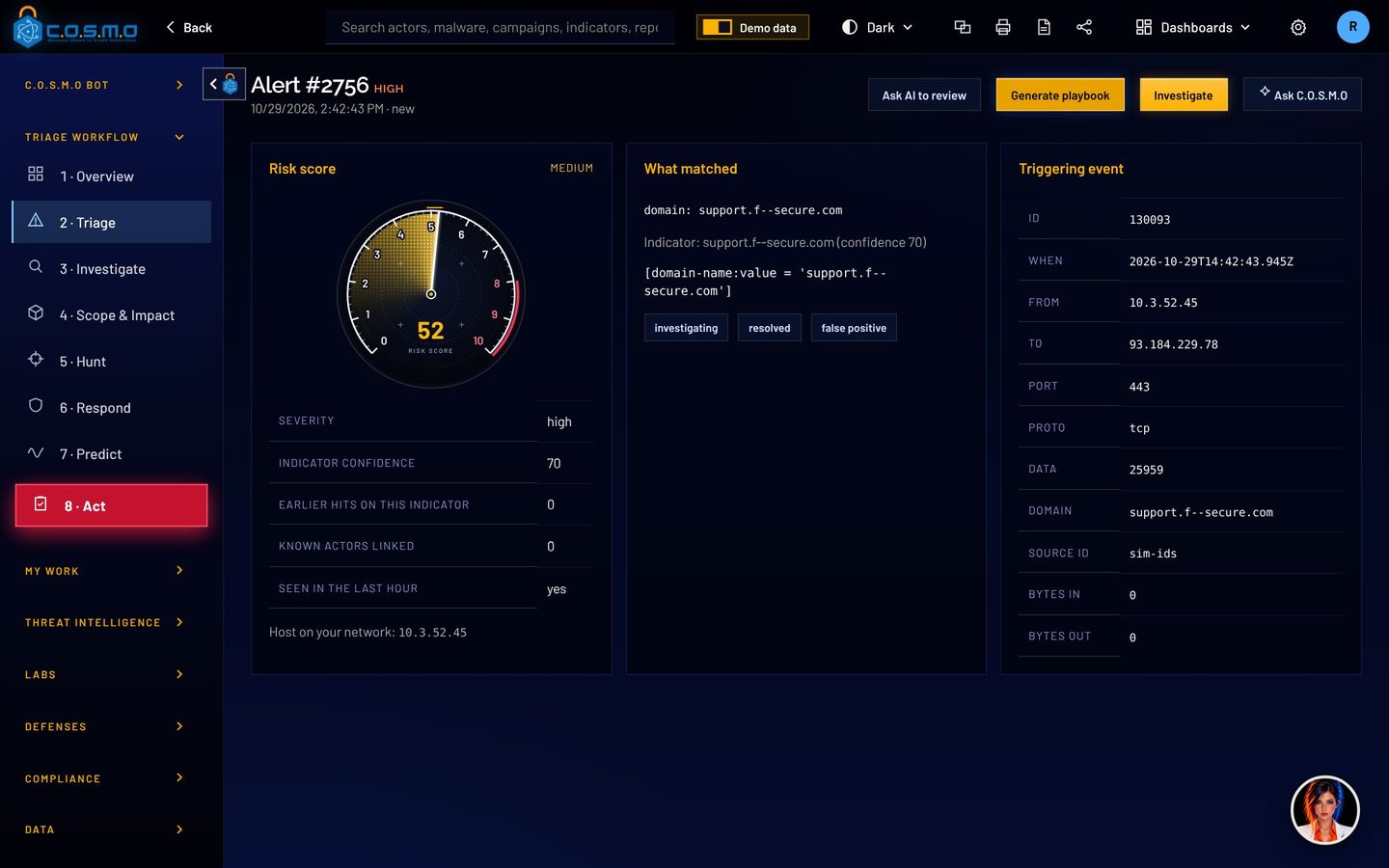
No black box. Press any score to see each point. Open any pack to see each file.
The score
Block 1 address and 1 domain at the edge, in and out. Nothing was held back by the allowlist. Every block expires on 2026-12-01 unless renewed.
Proposed by C.O.S.M.O auto triage and approved by a person. Review before applying. Blocks end on 2026-12-01 unless renewed. Every file below is also in the work pack as its own file, ready to import or paste.
C.O.S.M.O writes each team’s work order for you, in the dark theme on screen (the printed copy stays light). File names start with the date and the day’s batch.
Plus a block list any firewall imports, a DNS block list, and machines, files and accounts to check.
C.O.S.M.O processes alerts, dark web posts and uploaded files, all of which an attacker can write. It treats every one as data and never as an instruction. C.O.S.M.O cannot change your systems. It only writes recommendations and rules, and your people decide what to do with them. Every action is recorded in a log that shows any later edit.
Download a case record and its fingerprint is written to the sealed activity record. Paste a copy back later and C.O.S.M.O says whether it was edited.
Uploaded logs, documents and malware samples are read as data. The Malware Lab and the council take code apart without executing it.
Licenses, content packs and updates are signed with Ed25519 and checked offline against a key built into C.O.S.M.O.
The FIPS provider starts before anything else, with a self-test. If it fails, C.O.S.M.O does not start.
Single sign-on, smart cards (CAC/PIV), two-step sign-in, lockout and idle sign-out rules, set by an administrator.
It runs on your server. Offline mode stops every outside connection, including hosted AI.
C.O.S.M.O comes straight from the team that builds it. Talk to us and we will set up a demo, size it for your network and get you a quote.
We build C.O.S.M.O, so you work with us directly.
A demo runs on demo data: auto triage, a team’s work pack, the Malware Lab, and the offline setup if you need it.

Cypher is a Service-Disabled Veteran-Owned Small Business, founded in 2009 and headquartered in Ashburn, Virginia. Its technical staff are 100% cleared and support customers onsite, across the Department of Defense, the Intelligence Community and civilian agencies.